
Official screenshot · Steam media gallery · © Sunny Lab / Silver Lining Interactive. Illustrative media; see material statement.
The selected-destination panel
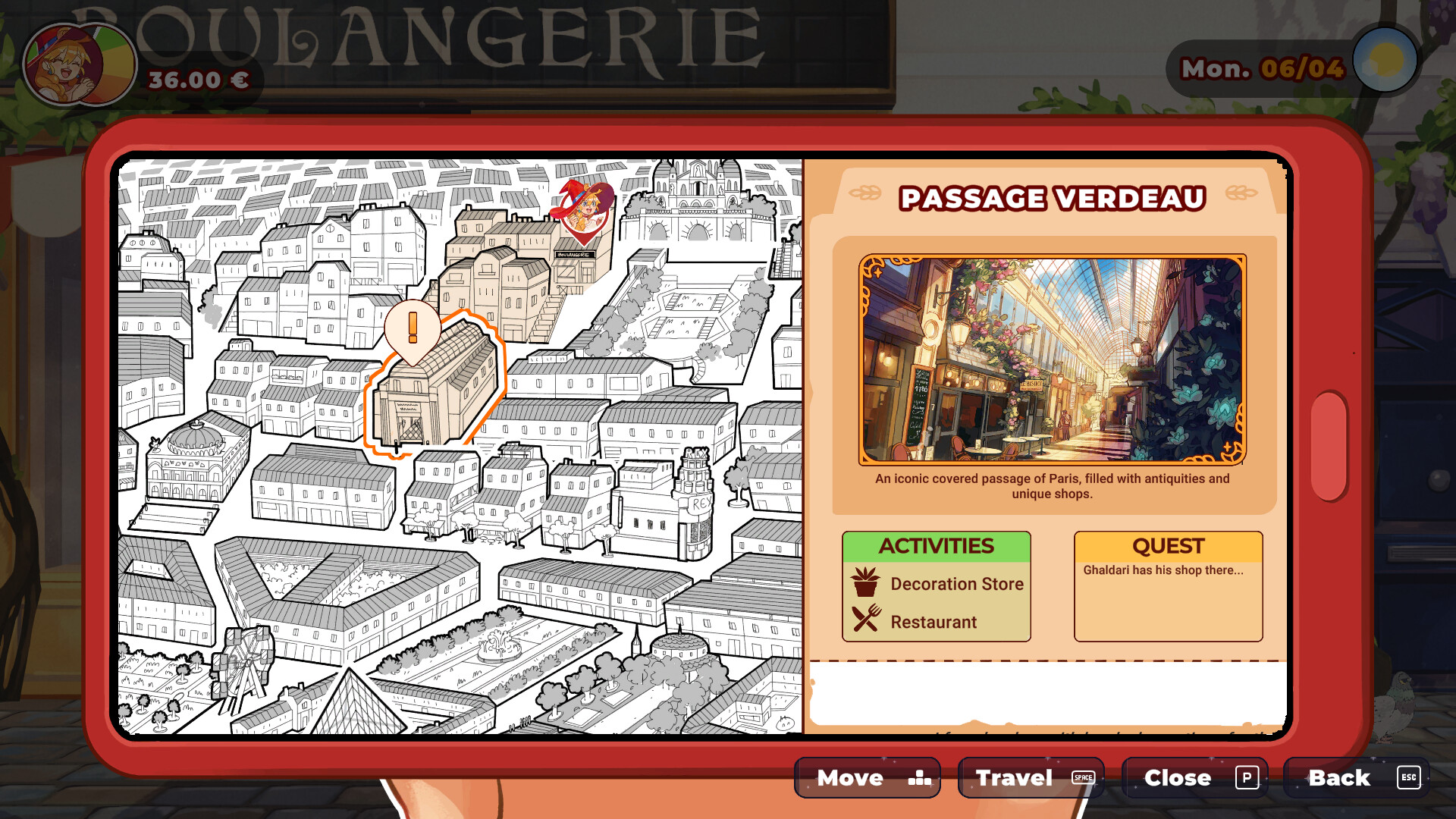
The directly inspected official image shows a destination selected on the phone map. A panel beside the map provides activities and a quest note for that place. Reading the panel therefore supplies information that a district name alone does not convey.
Passage Verdeau in the documented image
Passage Verdeau is the named destination in the example. Its panel lists a decoration store and restaurant. It also contains a quest note concerning Ghaldari's shop, connecting the destination display with a local objective.
| Visible panel element | Documented example |
|---|---|
| Destination | Passage Verdeau |
| Activity / shop | Decoration store |
| Activity | Restaurant |
| Quest note | Ghaldari’s shop |
Use the prompts in your build
The image visibly labels travel, close and back commands. Those labels establish the available navigation actions shown by that interface. Use the prompts displayed on your current platform rather than copying a control binding from a screenshot of another setup.
Destinations and activities are different
The publisher describes Paris districts with their own activities and shops. A destination on the phone map is therefore different from an activity listed within its panel. Keeping those two levels separate helps explain what the map is identifying and what the selected place offers.
The limits of the city-map material
The collected image documents an interface example rather than every district. The notes do not contain a cross-verified district-unlock calendar or all collectible positions. This page consequently explains the observed panel without presenting it as a complete annotated map.
Sources
Official Steam store · Silver Lining Interactive — game page · Checked October 14, 2026